Nếu những ai chưa biết về Permalink thì nó là dạng Rewrite cấu trúc link của WordPress. Thường thì ở mặc định mỗi bài post có dạng link url rất không thân thiện với người đọc và công cụ tìm kiếm như:https://www.maivangchogao.com/?1234. Nhưng bạn có thể cấu hình lại Permalink cho nó hiển thị với cách thân thiện hơn.
Để cấu hình lạiPermalinkbạn vàoSetttings > Permalinkvà thiết lập như thông số sau:
Tuy nhiên nếu bạn chạy thửWordPresstrên localhost có thể nó bị lỗiNot Found 404,bởi vì Localhost thường không bật mod_rewrite hoặcAllowOverrideđược mặc định là không có. Để khắc phục bạn làm theo các bước sau.
mở filehttpd.conftrong bằng trình text editor bất kỳ. Nếu bạn sử dụngWAMPthì bạn vào thư mục sau: C:\wamp\bin\apache\Apache2.2.11\conf Nếu bạn sử dụngAppservthì bạn vào thư mục sau: C:\AppServ\Apache2.2\conf Nhấn Ctrl-F và tìm đoạn code sau:
#LoadModule rewrite_module modules/mod_rewrite.so Bỏ dấu # đằng trước đi
Sau đó tìm tiếp đoạn chữ sau: # Controls who can get stuff from this server. Bỏ dấu # đằng trướcAllowOverride All # AllowOverride controls what directives may be placed in .htaccess files. # It can be "All", "None", or any combination of the keywords: # Options FileInfo AuthConfig Limit # AllowOverride All # # Controls who can get stuff from this server. # Order allow,deny Allow from all
Restart lại server và kiểm tra thử cấu trúc permalink của bạn
Hello everybody, I write this blog for speak in Android Bangkok (or Droidcon) 2018 at 31 March 2018 and my topic is about ExoPlayer which we use this in Fungjai, music streaming application, and new product application on Android.
Do you know which playback library that YouTube use in Android?
This is BNK48 lasted song and show about portrait and landscape
I divide 3 main topic in this session; Introduction, How to use?, and Additional.
Are you ready to adventure this?
Introduction
Before you create the media application with ExoPlayer, you need familiarize it.
What’s ExoPlayer?
ExoPlayer is an open source media playback library for Android by Google which write in JAVA and have more advantages than MediaPlayer such as minimal, flexible, and stable.
Exoplayer features are play video and audio, shuffle, repeat, subtitle, playlist, caching/downloading, playing ads, live streaming, album art, offline, cast extension and more.
Recap from Google I/O 2017
I recapped important informations from google I/O 17 at 17 May 2017 which speakers are Oliver Woodman and Andrew Lewis.
I check for important version of ExoPlayer from Google I/O 17 when in version 2.x to now.
r1.2.3 (25 Mar. 15) : This is first version release to developer
r2.0.0 (14 Sep. 16) : This is first version of Exoplayer 2.x which major iteration of the library
2.6.0 (23 Nov. 17) : This is first version which not have r in front of version number
2.7.0 (22 Feb. 18) : This release have new features and bugs fixed ex. Player Interface, UI Component, Buffering, Cast Extension, Caching, and more in release note.
2.7.2 (29 Mar. 18) : This is lasted ExoPlayer version and fixed for some minor bugs
MediaPlayer support API level 1 to current Android version and ExoPlayer is required minimum API level 16.
As you seen, the minimum android version in your current project is API level 16 which 99.2% of active android devices.
I check this from Android Studio
MediaPlayer is not support advanced use case. For example, adaptive playback (for support streaming formation such as smooth streaming, DASH, and HLS), media composition, caching, and more.
MediaPlayer is black box then cannot get control over the inner working in player but ExoPlayer is designed really to be very customizable and extensible.
This is diagram for compare about where player actually lives when using MediaPlayer and ExoPlayer. The MediaPlayer implementation is actually in the Android operating system and above in your application and in contrast you use ExoPlayer in your application for custom something to you use.
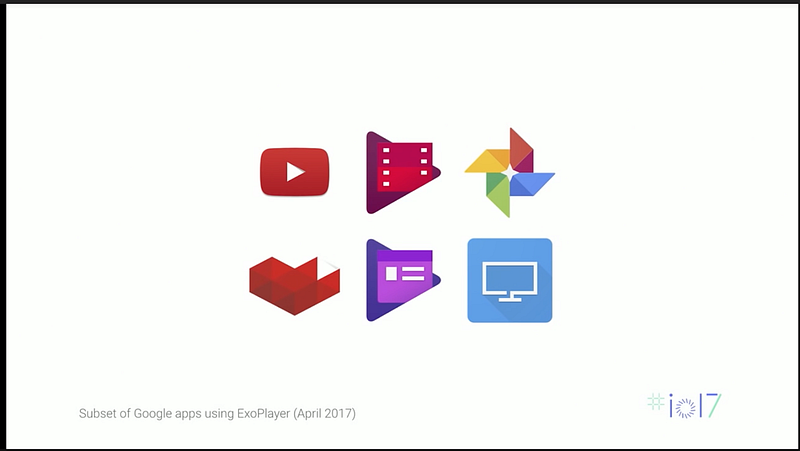
Google developeded ExoPlayer for use in YouTube which huge video streaming service, Google Play Movie, Google Photos, Youtube gaming, Google Play Newsstand before release it to developer.
Over 140,000 applications in Google Play Store are using ExoPlayer for play media in these application such as Vevo, Twitter, BBC iPlayer, Netflix, Spotify, Facebook, Whatsapp, Twitch, and more applications include Fungjai.
Then add internet permission in your manifest file to get video url, read/write storage are optional for caching, play media in devices or something like that.
Add function for initialize player and release player.
Add initializePlayer() function to create new Exoplayer in player view. I set my player to play when it ready and seek to current windows. If player already created, prepare media source from url.
Add releasePlayer() function to get playback position, current window value, play or pause state, release player and set the player to null.
How to use ExoPlayer in Activity/Fragment?
use initializePlayer() at onStart() and onResume() for init player
use releasePlayer() at onPause() and onStop() for release player before destroy activity or fragment
Playback States
For about playback states, have 4 states in player
Buffering (Player.STATE.BUFFERING) : more data needs to load
Ready (Player.STATE_READY) : can start playback
Ended (Player.STATE_END) : playback ended
If you handle about this, you get playback state at onPlayerStateChanged()when implementation by Player.EventListener.
private String status;
@Override
public void onPlayerStateChanged(boolean playWhenReady, int playbackState) {
    switch (playbackState) {

        case Player.STATE_BUFFERING:
            status = PlaybackStatus.LOADING;
            break;
        case Player.STATE_ENDED:
            status = PlaybackStatus.STOPPED;
            break;
        case Player.STATE_IDLE:
            status = PlaybackStatus.IDLE;
            break;
        case Player.STATE_READY:
            status = playWhenReady ? PlaybackStatus.PLAYING : PlaybackStatus.PAUSED;
            break;
        default:
            status = PlaybackStatus.IDLE;
            break;
}
}
Sample output for this code is application for streaming audio or video and has playback in player.
but you forgot something, try think again for initialize and release player, what’s missing?
Supported formats
In initializePlayer(), your player must have MediaSource for prepare media from url and for supported formats have difference MediaSource.Factory
The format of regular media such as mp3 and mp4 :
return ExtractorMediaSource.Factory(
new DefaultHttpDataSourceFactory(userAgent)).createMediaSource(uri)
Playlist format in internet radio or music streaming such as m3u8 :
Bonus : You can play audio/video in Exoplayer from file in your device.
val bandwidthMeter = DefaultBandwidthMeter()
val videoTrackSelectionFactory = AdaptiveTrackSelection.Factory(bandwidthMeter)
val trackSelector = DefaultTrackSelector(videoTrackSelectionFactory)

val defaultBandwidthMeter = DefaultBandwidthMeter()
val dataSourceFactory = DefaultDataSourceFactory(
        context, Util.getUserAgent(context, "SongShakes"), defaultBandwidthMeter)
val videoSource = ExtractorMediaSource.Factory(dataSourceFactory).
        createMediaSource(Uri.fromFile(File(filename)))
Manage for orientation and no lock screen
You can watch video in full screen by rotate screen to landscape but have problem about play video again at begin.
What’s solution to solve this problem?
First solution in my thinking is Android Architecture Component but this is so difficult for this.
But I found best solution for me is no complex and original solution to solve this. This solution is add config change for player activity at manifest file.
You can custom user interface for player controller and custom some function in your player.
For custom some function in player : You can add behaviour attribute of your playback. I think every developer don’t use all for set your playback behaviour, or not?
Then I show you a sample custom playback for useful to used in you project.
For default button, so easy to add each button in playback layout file by add ImageButton, and custom button colour with tint, button drawable with style from ExoPlayer
For repeat button, I found repeat button id but not found repeat button style then I set style for repeat button to @Style/ExoMediaButton
and add app:repeat_toggle_modes=”one” in player_activity.xml to use repeat button in your playback
Full layout file exo_playback_control_view.xml for example 1
Example 2 : custom play/pause button and timebar which design by UI designer
I divide this player to 2 paths
(1) Playback Button : You formally set ImageButton with size and drawable with custom.
<!-- Before -->
<ImageButton android:id="@id/exo_play"
   android:tint="#FF5D29C1"
   style="@style/ExoMediaButton.Play"/>
<!-- After -->
<ImageButton android:id="@id/exo_play"
   android:layout_height="50dp"
   android:layout_width="50dp"
   android:background="@drawable/circle_purple_transparent"
   android:src="@drawable/ic_play_player"/>
(2) TimeBar and Duration:
For duration, you can edit same with normal TextView.
For timebar, you can change timebar size and color at scrubber button, played, unplay, and buffer in timebar.
Bonus : Some applications use unplayed_color and buffered_color in same color. I think for any color in application which approve from UI/UX designer and brand CI (Color Index not Continuous Integration in this context).
Full layout file exo_playback_control_view.xml for example 2
ฺBonus : If you handle play/pause without playback, you can use this in your code. Use player.playWhenReady = false for pause media playing and player.playWhenReady = true for play media and save state with playbackState.
fun pausePlayer() {
    player.playWhenReady = false
    player.playbackState}
fun startPlayer() {
    player.playWhenReady = true
    player.playbackState}
ExoPlayer support chunk list for loading stream media then I talk about chunk working but I don’t talk about chunk in ExoPlayer library.
This is example for chunk in Fungjai website (https://www.fungjai.com) which show chunk list for play 1 song.
Example, this is a audio media in streaming and server divide path of media to download buffer after position of scrubber, that called it “Chunk”.
Then you seek scrubber to nearly half of song, server check buffer.
If not have chunk list near this, server download chunk buffer to cover scrubber position and continue playing music.
For chunk size, system divide balance size like 10 second per each chunk. You see chunk size is 6 second, don’t worry about this because this is end of chunk list in streaming media.
Add player service
Do you have some question in your mind?
User want play background after lock screen or on in other application
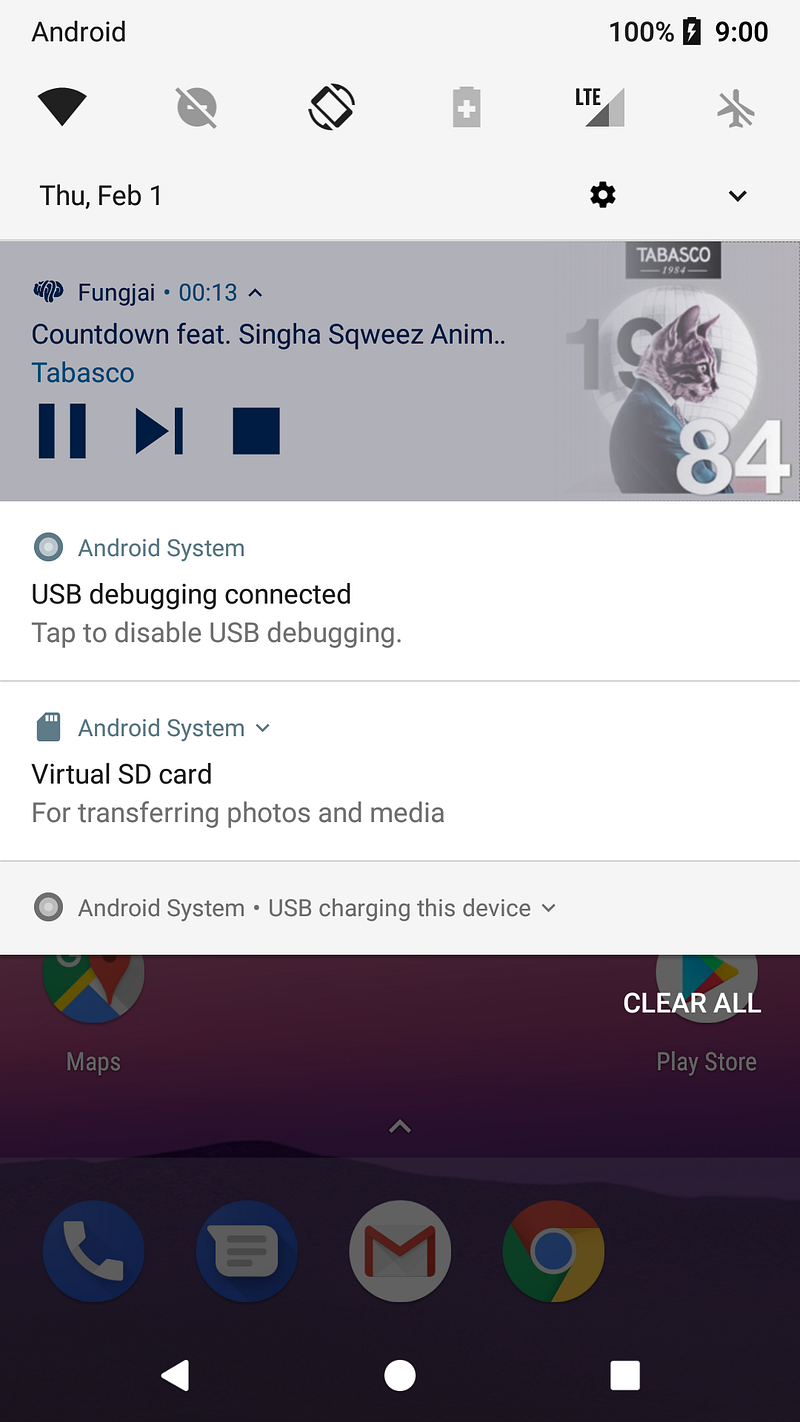
Have playback notification for this
something like that, blah blah…
Your application need a service for something like that at above.
These are 3 types of Service are Background Service (not work directly with user), Foreground Service (show service to user and must display a status bar icon), and Bound Service (offers a client-server interface)
This application use bound service because conversion with component and service all time and working with queue.
This is example application that use bound service for play music in background.
Overview Exoplayer working with service
PlayerNotificationManager is class for manage about notification playback in bound service.
PlayerService handle player service working
PlayerManager manage about service and called by Activity/Fragment which use service such as PlayerFragment and BaseFragment class
At First you create PlayerService.java class for your service in application
public class PlayerService extends Service implements AudioManager.OnAudioFocusChangeListener, Player.EventListener {
...
}
and add this in manifest file.
<service android:name=".player.PlayerService"/>
I create service class follow service bound lifecycle at right of this picture include
Fungjai is a music streaming application by Thai Developer, Thai company. You can listen music from indies music from Thai and Asian Artist (Japan, Taiwan, Indonesia) and have some feature in this.
Discover : Top 20 charts, Recommend, New Album, and New Artist
Browse : you can search song from your mood or genre
Playlist : playlist by Fungjai staff that have 3 type; Mood & Genre Playlist, Theme Playlist (heartbroken), and Feature Playlist (Recommend song, re-live, DJ).
My Music : Your favorite (music, playlist, album) and your recently played
This application use ExoPlayer for music streaming player and add service for background listen music.